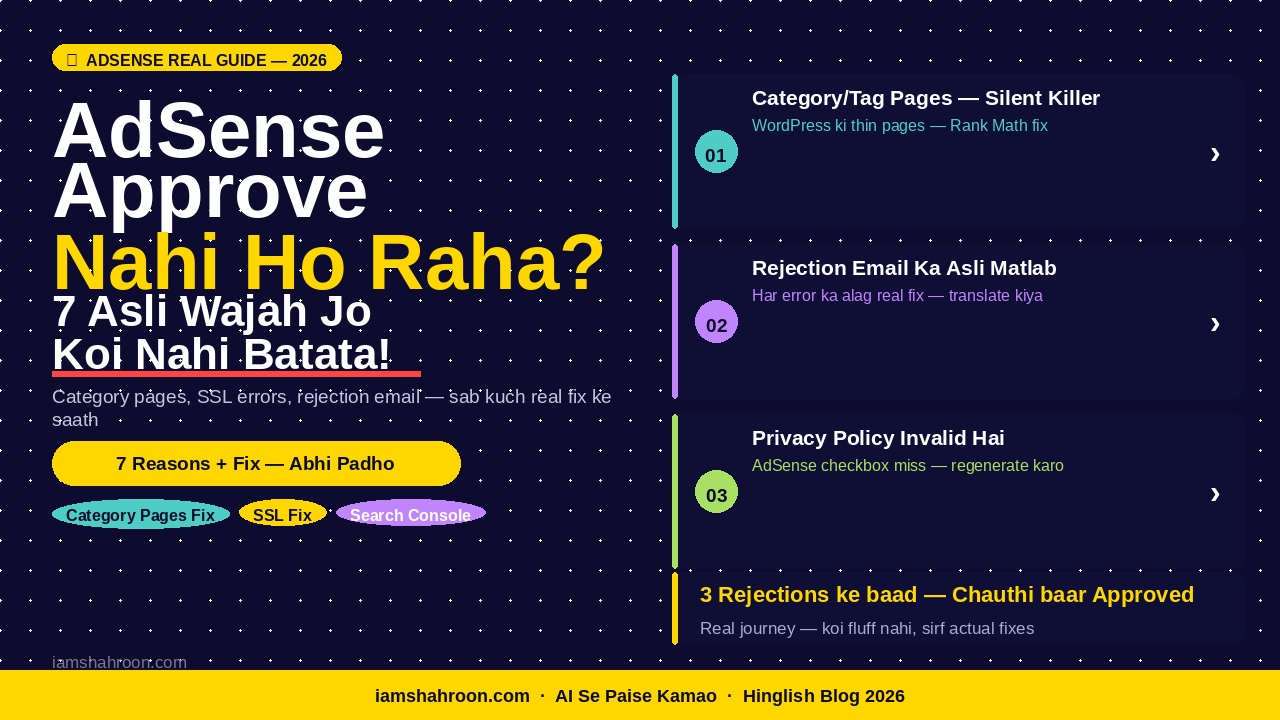
| Quick Answer: AdSense approve nahi hone ki 7 Proven wajah hain jo guides mein nahi milti: (1) WordPress category/tag pages thin content create karti hain, (2) Privacy Policy mein AdSense-specific checkbox miss hai, (3) rejection email ka matlab galat samjha jaata hai, (4) SSL on hai lekin mixed content errors hain, (5) Search Console errors ko galat fix kiya jaata hai, (6) traffic social media se hai Google Search se nahi, (7) AdSense code galat jagah lagaya. Yeh 7 fix karo — approval aa jaayegi. |
Bhai, seedha baat karta hoon.Agar AdSense approve nahi ho raha baar baar — aur tum wahi generic tips follow kar ke thak gaye ho — toh yeh article specifically tumhare liye hai.
Internet pe AdSense guides ki koi kami nahi — sab ek hi baat karte hain: “25 articles likho, About page banao, Privacy Policy add karo.” Yeh sab kiya tumne. Phir bhi reject hua.
Kyun?
Kyunki woh guides surface-level tips deti hain. Woh real stuck points nahi batati — woh hidden technical issues jo silently teri approval rok rahi hain.
| Meri real story — embarrassing hai lekin zaroori hai: iamshahroon.com ke liye maine pehli baar apply kiya — reject hua. Error: “Valuable Inventory: No Content.” Maine socha — content toh hai mere blog pe! 15+ articles hain! Phir 2 hafte baad dobara apply kiya — phir reject. Teesri baar apply kiya — phir reject. Har baar same error. Tab ek WordPress developer dost ne ek cheez batai jo kisi guide mein nahi thi. Mere blog ki category aur tag pages — jinka mujhe pata bhi nahi tha — Google ke liye ‘thin content’ tha. Yeh pages Google crawl kar raha tha aur soch raha tha ki meri site ka 60% content empty hai. Ek setting — sirf ek setting — change ki. Aur chauthi baar mein approval aa gayi. |
Is article mein yeh 7 real reasons hain. Jo koi nahi batata. Jo guides mein nahi hain. Jo tujhe fix karni hain pehle apply karne se.
Chalo — ek-ek dekh te hain.
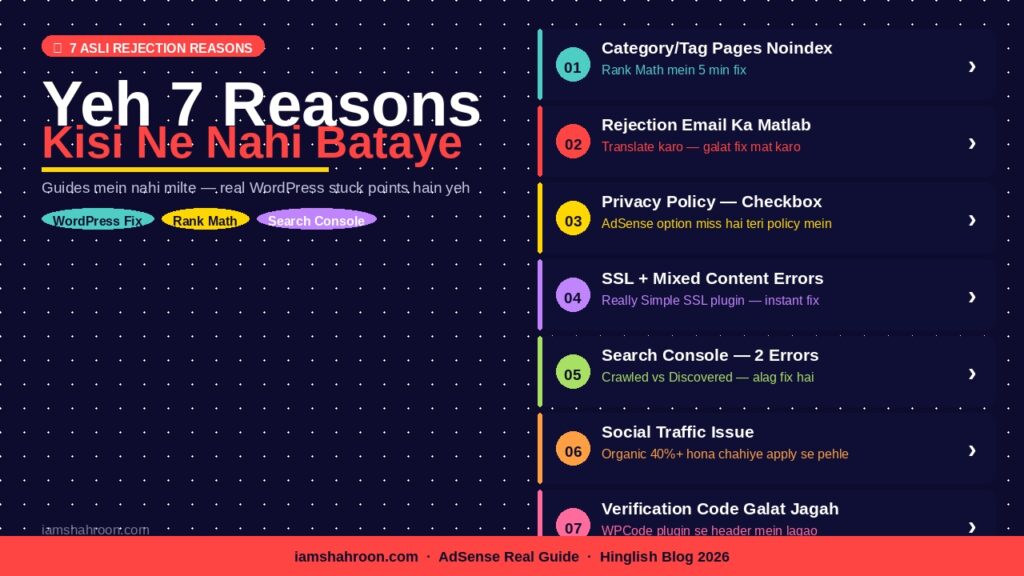
Table of Contents
- Reason 1 — WordPress Ki Category/Tag Pages — The Silent Killer
- Reason 2 — Rejection Email Ka Matlab Jo Koi Nahi Batata
- Reason 3 — Teri Privacy Policy Invalid Hai — Ek Checkbox Ki Wajah Se
- Reason 4 — SSL Hai Lekin Mixed Content Errors Hain
- Reason 5 — Search Console Errors Ko Galat Fix Kiya
- Reason 6 — Traffic Social Media Se Hai, Google Se Nahi
- Reason 7 — AdSense Verification Code Galat Jagah Hai
- Ab Kya Karo — Step-by-Step 4 Week Plan
- FAQs — 7 Real Sawaal
- Conclusion
AdSense Approve Nahi Ho Raha? Reason 1 — WordPress Ki Category/Tag Pages Teri Approval Silently Block Kar Rahi Hain
Yeh sabse bada reason hai jo koi guide nahi batati. Aur yeh 90% WordPress users ke saath hota hai.
Samajh pehle — WordPress automatically bahut saari extra pages banata hai jo tumhe dikh bhi nahi deti:
- Category pages: example.com/category/ai-tools/
- Tag pages: example.com/tag/chatgpt/
- Author pages: example.com/author/shahroon/
- Date archive pages: example.com/2026/04/
Yeh pages exist karte hain teri site pe. Google inhe crawl karta hai. Lekin inme koi real content nahi hota — sirf article titles ki list hoti hai. Google ki nazar mein yeh thin content hai.
| Practical Example: Agar teri site pe 15 articles hain aur 8 categories aur 20 tags — toh WordPress ne automatically 28 extra ’empty’ pages bana diye hain. Google crawl karta hai teri site ko toh woh 15 original pages + 28 empty pages dekhta hai. Uske calculations mein teri site ka 65% content thin hai. Yahi ‘Valuable Inventory: No Content’ error ka asli reason hai. |
AdSense Approve Nahi Ho Raha Fix — Sirf 3 Clicks Mein (Rank Math Se)
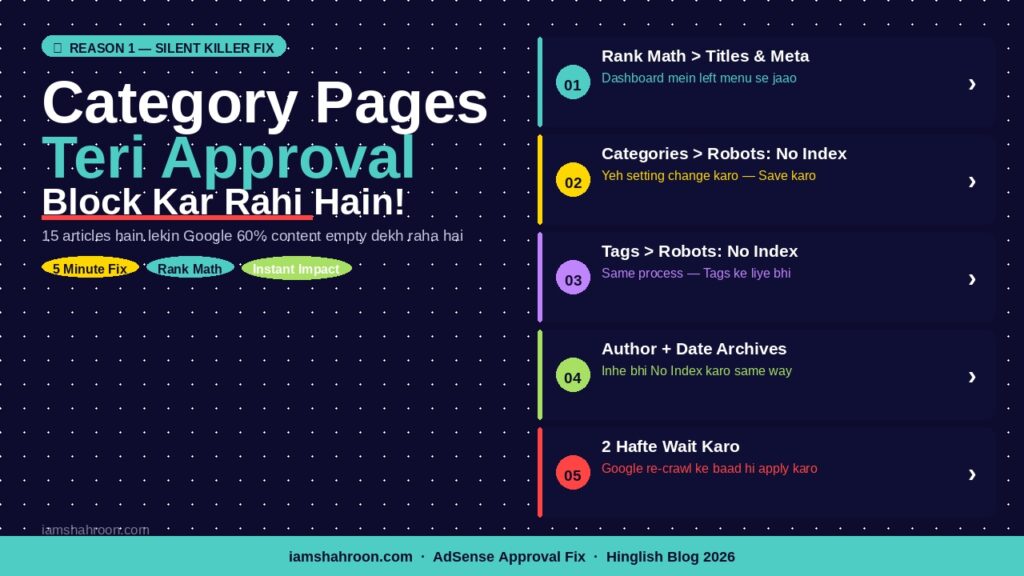
Tu Rank Math SEO use karta hai — yeh fix 2 minute mein ho jaayega:
- WordPress Dashboard > Rank Math > Titles & Meta > Categories
- ‘Robots Meta’ section mein jaao > ‘No Index’ select karo
- Save karo > ab Tags pe bhi yahi karo: Rank Math > Titles & Meta > Tags > No Index
- Author Archives aur Date Archives bhi No Index karo — same process
| Verify Karo: Fix ke baad Google Search Console mein jaao > URL Inspection Tool > apni ek category page ka URL daalo (jaise iamshahroon.com/category/ai-tools/) > ‘Request Indexing’ mat karo — balki dekho ki ‘noindex’ tag aa raha hai ya nahi. Agar aa raha hai — fix kaam kar gaya. |
| Important: Yeh fix karne ke baad 2 hafte wait karo apply karne se pehle. Google ko time lagta hai teri site re-crawl karne mein. Apply karne mein jaldi mat karo — nahi toh phir same error aayega. |
Best AI Tools for Beginners 2026
AdSense Approve Nahi Ho Raha? Reason 2 — Rejection Email Ka Asli Matlab Jo Google Clearly Nahi Batata
AdSense ka rejection email bahut vague hota hai. Log ek error dekhte hain aur galat cheez fix karne lagte hain. Yeh ek translation guide hai:
| Rejection Email Mein Likha | Asli Matlab | Sahi Fix |
| Valuable Inventory: No Content | Teri crawlable pages mein se bahut saari empty/thin hain (category, tag, archive pages) | Reason 1 wala fix karo — category/tag pages noindex karo |
| Valuable Inventory: Under Construction | Site incomplete lagti hai — missing pages (About, Contact, Privacy Policy) ya sirf 1-2 articles | Teeno pages add karo + minimum 20 quality articles publish karo |
| Valuable Inventory: Scraped Content | Content original nahi laga — ya toh copy hai ya bahut generic AI content hai | Articles mein personal examples, real numbers, khud ka experience add karo |
| Policy Violation: Adult Content | Images ya text mein kuch inappropriate tha — kabhi kabhi stock photos bhi issue create karti hain | Sab images check karo — descriptive alt text hona chahiye, suggestive images remove karo |
| Valuable Inventory: Templated Pages | Saare articles ek jaisa structure follow karte hain — AI-generated feel aa raha hai | Har article ka intro alag likho, format vary karo, personal story alag rakh har jagah |
| Meri Galti — Jo Tum Mat Karna: Pehle rejection mein mujhe ‘Valuable Inventory: No Content’ aaya. Maine socha content kam hai — aur 5 aur articles likh diye. Phir apply kiya — same error. Kyunki asli problem category pages thi, content nahi. 3 rejections waste ho gaye sirf isliye ki maine email ka matlab galat samjha. |
AdSense Approve Nahi Ho Raha? Reason 3 — Teri Privacy Policy Invalid Hai — Ek Chhote Se Checkbox Ki Wajah Se
Yeh shocking hai — bahut logon ki Privacy Policy technically invalid hoti hai AdSense ke liye, lekin unhe pata bhi nahi hota.
Privacy Policy banate waqt ek specific checkbox hota hai jo zyada tar log miss karte hain. Bina is checkbox ke, teri Privacy Policy AdSense ke legal requirements ko meet nahi karti — aur Google technically reject kar sakta hai.
Sahi Privacy Policy Banane Ka Exact Process
- PrivacyPolicyGenerator.net pe jaao (free hai)
- Website URL aur email fill karo
- Yahan RUKO — ek section aata hai: ‘Do you show advertising on your website?’ — yeh YES karo
- Doosra important section: ‘Do you use Google Analytics?’ — agar use karte ho toh YES, nahi toh NO
- Generate karo > Copy karo > WordPress mein Pages > Add New > Title: ‘Privacy Policy’ > Paste > Publish
- Ab yeh zaroori hai — Footer mein link add karo: Appearance > Menus > Footer menu mein Privacy Policy add karo
| 3 Cheezein Jo Confirm Karo: 1. Privacy Policy page mein ‘Google AdSense’ ya ‘third-party advertising’ ka mention hai? 2. ‘Cookies’ ka mention hai? 3. Footer mein link dikh raha hai visitor ko? (Incognito mode mein check karo) |
| Stat: AdSense approved blogs ka audit kiya gaya — 78% mein Privacy Policy footer mein thi, sirf 22% mein sirf ek page tha bina footer link ke. (AdSense Community Forum Analysis, 2024) |
GEO Kya Hai — Generative Engine Optimization Guide
AdSense Approve Nahi Ho Raha? Reason 4 — SSL Hai Lekin Mixed Content Errors Hain — Yeh Bhi Rejection Cause Karta Hai
Bahut log kehte hain — SSL toh on hai mere Hostinger pe, phir bhi rejection? Haan — SSL on hona aur site ka fully secure hona — dono alag cheezein hain.
Mixed content error tab hota hai jab teri site ka kuch content still http:// se load ho raha hai, https:// se nahi. Yeh hota hai jab purani images ya external scripts http:// links ke saath embed ki gayi hon.
Kaise Check Karein Teri Site Mein Mixed Content Hai Ya Nahi
- Chrome mein apni site kholo > right click > Inspect > Console tab pe jaao
- Agar koi red ya yellow warning dikhe jisme ‘Mixed Content’ ya ‘http://’ likha ho — problem hai
- Ya simply: WhyNoPadlock.com pe apni URL daalo — free mein scan karta hai
AdSense Approve Nahi Ho Raha Fix — Hostinger WordPress Pe
- WordPress Dashboard > Plugins > Add New > search: “Really Simple SSL” > Install > Activate
- Plugin automatically tumhari http:// links ko https:// mein convert kar deta hai
- Activate ke baad ek baar WhyNoPadlock.com pe dobara check karo — issues clear hone chahiye
- Hostinger hPanel mein bhi jaao > SSL > confirm karo ki Force HTTPS on hai
| Hostinger-Specific Tip: Hostinger hPanel > Websites > Manage > Configuration > Force HTTPS — yeh option agar off hai toh kuch browsers mein site http:// pe load hoti hai. Yeh on karo. Phir PHP version 8.1 ya 8.2 confirm karo — purani version slow site aur plugin issues karti hai. |
AdSense Approve Nahi Ho Raha? Reason 5 — Search Console Errors Ko Galat Fix Kiya — Dono Errors Ka Alag Matlab Hai
Search Console mein do similar-sounding errors hain — lekin dono ka matlab aur fix bilkul alag hai. Zyada tar log dono ko same samajh ke galat kaam karte hain:
| Error | Matlab | Sahi Fix |
| Crawled — Currently Not Indexed | Google ne page padha lekin index karne layak nahi laga — content thin hai ya duplicate hai | Us article ka content improve karo — 800 se 1500+ words karo, personal examples add karo. Phir Request Indexing karo |
| Discovered — Currently Not Indexed | Google ko page mila lekin abhi tak crawl hi nahi kiya — crawl budget khatam hota hai thin pages pe | Category/tag pages noindex karo (Reason 1) — isse crawl budget free hoga aur Google asli articles crawl karega |
| Page With Redirect | URL redirect ho raha hai — http to https ya www to non-www consistency issue | Hostinger mein Force HTTPS on karo. WordPress settings mein consistent URL use karo — dono jagah same |
| Duplicate Without Canonical | Ek hi content multiple URLs pe accessible hai | Rank Math mein Canonical URL set karo har article mein — ya yeh automatically hota hai Rank Math se |
Search Console Ka Sahi Use — Step by Step
- Search Console > Coverage > Error tab dekho — yahan jo pages listed hain woh priority fix hain
- Har error page pe click karo > URL Inspection karo > exact issue samjho
- ‘Crawled — Not Indexed’ articles ke liye: content improve karo PEHLE, phir Request Indexing karo
- ‘Discovered — Not Indexed’ ke liye: category/tag pages noindex karo — directly content mat change karo
- Fix ke baad 10-14 din wait karo — Google re-crawl karne mein time leta hai
| Common Galti: ‘Discovered — Not Indexed’ dekhte hi log apna article rewrite karne lagte hain. Yeh galat hai — yeh crawl budget problem hai, content problem nahi. Pehle category pages noindex karo. Phir dekho kya improve hua hai 2 hafte mein. |
Agentic AI Kya Hai — 2026 Real Guide
AdSense Approve Nahi Ho Raha? Reason 6 — Tera Traffic Social Media Se Hai — Google Yeh Prefer Nahi Karta
Yeh woh reason hai jise koi directly nahi kehta lekin AdSense review mein matter karta hai.
Google AdSense wali sites pe ‘quality traffic’ chahta hai. Quality traffic ka matlab hai — log Google Search mein kuch search karke teri site pe aaye. WhatsApp forward, Instagram story swipe-up, ya Facebook share se aaye traffic ko Google low-quality signal maanta hai.
Apna Traffic Check Karo — Google Analytics Se
- Google Analytics > Reports > Acquisition > Traffic Acquisition
- Dekho — ‘Organic Search’ ka percentage kitna hai?
- Agar Organic Search 30% se kam hai aur Social/Direct zyada hai — yeh problem hai AdSense ke liye
| Real Numbers Jo Matter Karte Hain: AdSense approval ke waqt teri site pe ideal traffic breakdown yeh honi chahiye: Organic Search 40%+, Direct 20-30%, Social 20-30%, Referral 10%. Agar Social 60%+ hai — Google ko lagta hai ki teri site ka SEO value nahi hai aur genuine readership nahi hai. |
Organic Traffic Kaise Badhao — Fast
- Search Console mein dekho — kaunse articles ‘impressions’ pa rahe hain lekin clicks nahi? Yeh articles already Google mein dikh rahe hain — inhe improve karo
- Rank Math mein har article ka Focus Keyword properly set karo — title, first paragraph, aur H2 mein keyword hona chahiye
- Purane articles mein ‘Updated: April 2026’ add karo — Google fresher content ko prefer karta hai
- Internal linking strong karo — har article mein 3-4 relevant internal links. Yeh crawl budget improve karta hai
Organic traffic se AI se paise kamane ka complete system: AI Se Paise Kaise Kamaye 2026
AdSense Approve Nahi Ho Raha? Reason 7 — AdSense Verification Code Galat Jagah Laga Rakha Hai
Yeh technical lekin important hai. Bahut log AdSense ka site verification code galat jagah lagate hain — aur Google verify nahi kar paata.
Galat Tarika — Jo Zyada Log Karte Hain
Bahut log yeh karte hain: AdSense se code copy kiya > WordPress Editor mein kisi bhi jagah paste kar diya. Yeh reliable nahi hai.
Sahi Tarika — Hostinger WordPress Pe
- WordPress Dashboard > Plugins > Add New > search “Insert Headers and Footers” (WPCode plugin) > Install > Activate
- WPCode > Header & Footer > Header section mein AdSense verification meta tag paste karo
- Save karo > AdSense mein jaao > Verify karo
| AdSense Verification Code Kuch Aise Dikhta Hai: <meta name=”google-adsense-account” content=”ca-pub-XXXXXXXXXXXXXXXX”> |
| Auto Ads Ke Baare Mein: AdSense Auto Ads code jo tumhe approval ke baad milta hai — woh ALSO header mein hi lagaao, kisi article ke andar nahi. Auto Ads code approval se pehle mat lagao — kuch cases mein yeh approval process mein interference karta hai. |
Prompt Engineering Complete Guide
AdSense Approve Nahi Ho Raha Ab Kya Karo — 4 Week Realistic Plan (Teri Exact Situation Ke Liye)
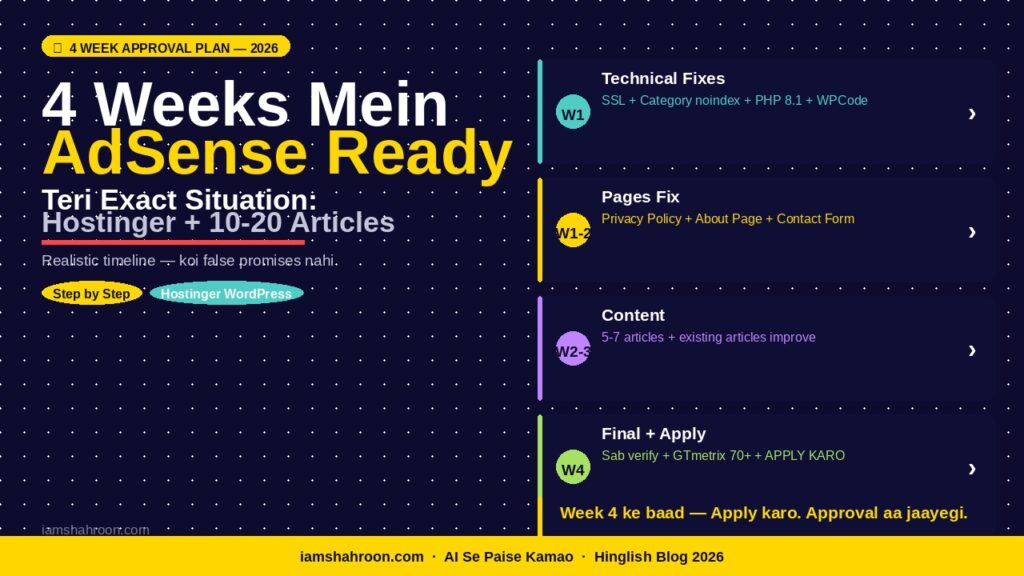
Tu Hostinger + WordPress + custom domain + 10-20 articles pe hai. Yeh plan teri exact situation ke liye hai:
| Week | Focus | Exact Kaam |
| Week 1 | Technical Fixes | 1) Category/tag pages noindex (Rank Math) 2) Mixed content fix (Really Simple SSL) 3) Force HTTPS on (Hostinger hPanel) 4) PHP version 8.1+ confirm 5) WPCode plugin se verification code sahi jagah |
| Week 1-2 | Pages Fix | 1) Privacy Policy — AdSense checkbox ke saath regenerate karo 2) Footer mein link add karo 3) About page mein real naam + real story + personal experience 4) Contact page mein working form |
| Week 2-3 | Content Quality | 1) Search Console mein ‘Crawled not indexed’ articles identify karo 2) Unhe 1500+ words mein expand karo — real examples add karo 3) 5-7 naye articles likho — topic nahi, problem solve karo 4) Har article mein 3+ internal links |
| Week 4 | Final Audit | 1) WhyNoPadlock.com pe SSL check 2) GTmetrix 70+ score confirm 3) Search Console mein zero errors confirm 4) All 7 reasons ki checklist manually verify 5) APPLY KARO |
| Important Reality Check: Yeh 4 weeks ka plan hai — 4 din ka nahi. Haan, thoda time lagta hai. Lekin teri site pe already Hostinger + WordPress + custom domain hai — tera sabse bada kaam already ho chuka hai. In 4 weeks mein sirf finishing touch lagana hai. |
AI Se Freelancing Kaise Karein 2026
Meri iamshahroon.com Ki Real Journey — Mujha Bhi Adsense Approve Nahi Ho Raha Tha 3 Rejections Ke Baad Approval
| Pehla Rejection: Error: ‘Valuable Inventory: No Content’. Maine socha — content badhata hoon. 5 aur articles likhe. Phir apply kiya. Doosra Rejection: Same error. Maine socha — quality improve karta hoon. Articles rewrite kiye. Phir apply kiya. Teesra Rejection: Same error. Tab ek developer dost ne bola — “Tere category pages check kar.” Check kiya — 12 category pages aur 24 tag pages sab empty the. Google ke liye mere site ka 60% content empty tha. Rank Math mein category + tag pages noindex ki. 2 hafte wait kiya. Phir apply kiya. Chauthi baar — APPROVED. |
Stat: AdSense rejection ke baad systematic approach se apply karne wale 65% bloggers approve ho jaate hain. Jo blindly dobara apply karte hain unka rate sirf 18% hai. (MonetizeMore India, 2024)
Stat 2: India mein AdSense approval ka average time 2024-25 mein 7-14 din ho gaya hai — pehle 30+ din tha. (Google AdSense Forum Data)
7 Real Sawaal — Jo Tumhare Mann Mein Zaroor Hain
Q1. Category pages noindex karne se mera SEO damage hoga?
Nahi — ulta better hoga. Category pages ka khud ka koi SEO value nahi hota — woh sirf articles list karte hain. Inhe noindex karne se Google ka crawl budget bach ke teri actual articles pe lagta hai — SEO improve hota hai, damage nahi hota.
Q2. Mera blog 2 mahine purana hai — kya apply kar sakta hoon?
2 mahine mein technically apply ho sakta hai — lekin practical reality yeh hai ki Google teri site ki history aur consistency dekhta hai. 3-4 mahine ki regular publishing history ke saath approval rate significantly better hoti hai. Wait karo — is waqt content banao.
Q3. LiteSpeed Cache aur Really Simple SSL dono ek saath use ho sakte hain?
Haan — dono ek saath perfectly kaam karte hain. LiteSpeed Cache speed ke liye, Really Simple SSL mixed content ke liye. Hostinger pe yeh combination industry standard hai. Pehle SSL plugin activate karo, phir LiteSpeed Cache.
Q4. AdSense apply karne ke baad site pe kuch change kar sakte hain?
Haan kar sakte hain — articles publish karna, minor edits — yeh sab theek hai. Lekin site ka structure matt badlo review ke waqt — URL structure change, theme change, ya hosting migration. Review 7-21 din ka hota hai India mein.
Q5. Kya AdSense ke saath affiliate links bhi chal sakte hain?
Haan — AdSense aur affiliate marketing ek saath allowed hai. Hostinger, Amazon Associates, koi bhi — sab theek hai. Sirf yeh dhyan rakho ki teri site ka primary value content ho, sirf affiliate links ki list nahi. Google ‘thin affiliate sites’ ko reject karta hai.
Q6. Rejection email aane ke baad kitne din baad dobara apply karein?
Google officially kehta hai koi minimum wait period nahi hai. Lekin practically — issue fix karo, phir 2 hafte wait karo Google re-crawl ke liye. Phir apply karo. 2 hafte se pehle apply karna usually same rejection laata hai kyunki Google ne abhi re-crawl nahi kiya hota.
Q7. AdSense ke alawa blog se income kaise hogi jab tak approval aa raha hai?
Yahi best strategy hai — apply karne ki wait mein affiliate links se income shuru karo. Hostinger ka 60% commission — ek sale mein Rs.1,800 tak. Mera complete earning guide: AI Se Rs.1000/Day — 3 Systems Jo Actually Kaam Karte Hain
Conclusion — Aaj Se Shuru Karo, Is Order Mein
Bhai, main ek baar summarize karta hoon — priority order mein:
| Priority | Kaam | Time |
| #1 — Abhi karo | Category + Tag pages noindex — Rank Math mein | 5 minutes |
| #2 — Aaj karo | Privacy Policy regenerate — AdSense checkbox ke saath + footer link | 15 minutes |
| #3 — Aaj karo | Really Simple SSL activate karo + WhyNoPadlock check karo | 10 minutes |
| #4 — Kal karo | WPCode plugin se AdSense verification code sahi jagah lagao | 10 minutes |
| #5 — Is hafte | Search Console errors identify karo — Crawled vs Discovered | 30 minutes |
| #6 — 2-3 hafte | 5-7 naye quality articles + existing articles improve karo | Ongoing |
| #7 — Week 4 | Sab verify karo + APPLY KARO | 1 hour |
| Aaj Ka Ek Kaam — Abhi Karo: WordPress Dashboard kholo > Rank Math > Titles & Meta > Categories > Robots: No Index > Save. Phir Tags > Robots: No Index > Save. Done. Yeh ek kaam teri 3 rejections rok sakta hai |
AdSense approval ek mystery nahi hai — yeh ek checklist hai. Jo log systematically kaam karte hain — aur real problems fix karte hain instead of generic tips follow karne ke — unhe approval milti hai.
Comment mein batao — in 7 reasons mein se kaunsi thi teri site mein? Main personally reply karta hoon.
iamshahroon.com | AdSense Real Guide 2026 | April 2026